

The product
Six capabilities that cover the whole job
From the loop on a lobby wall to the alert that takes the building — and the operational detail that decides whether either is still working in a year.
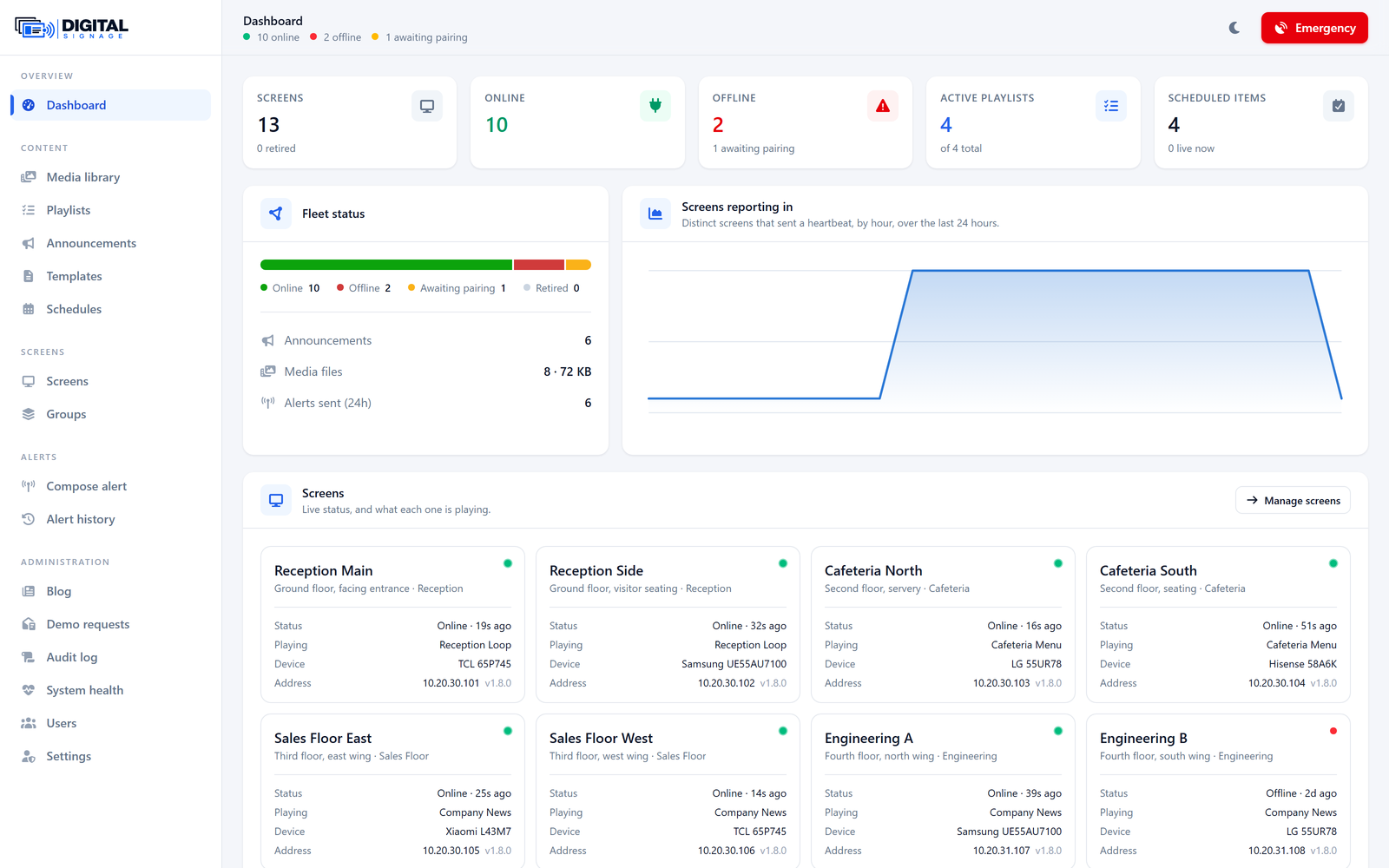
Fleet overview
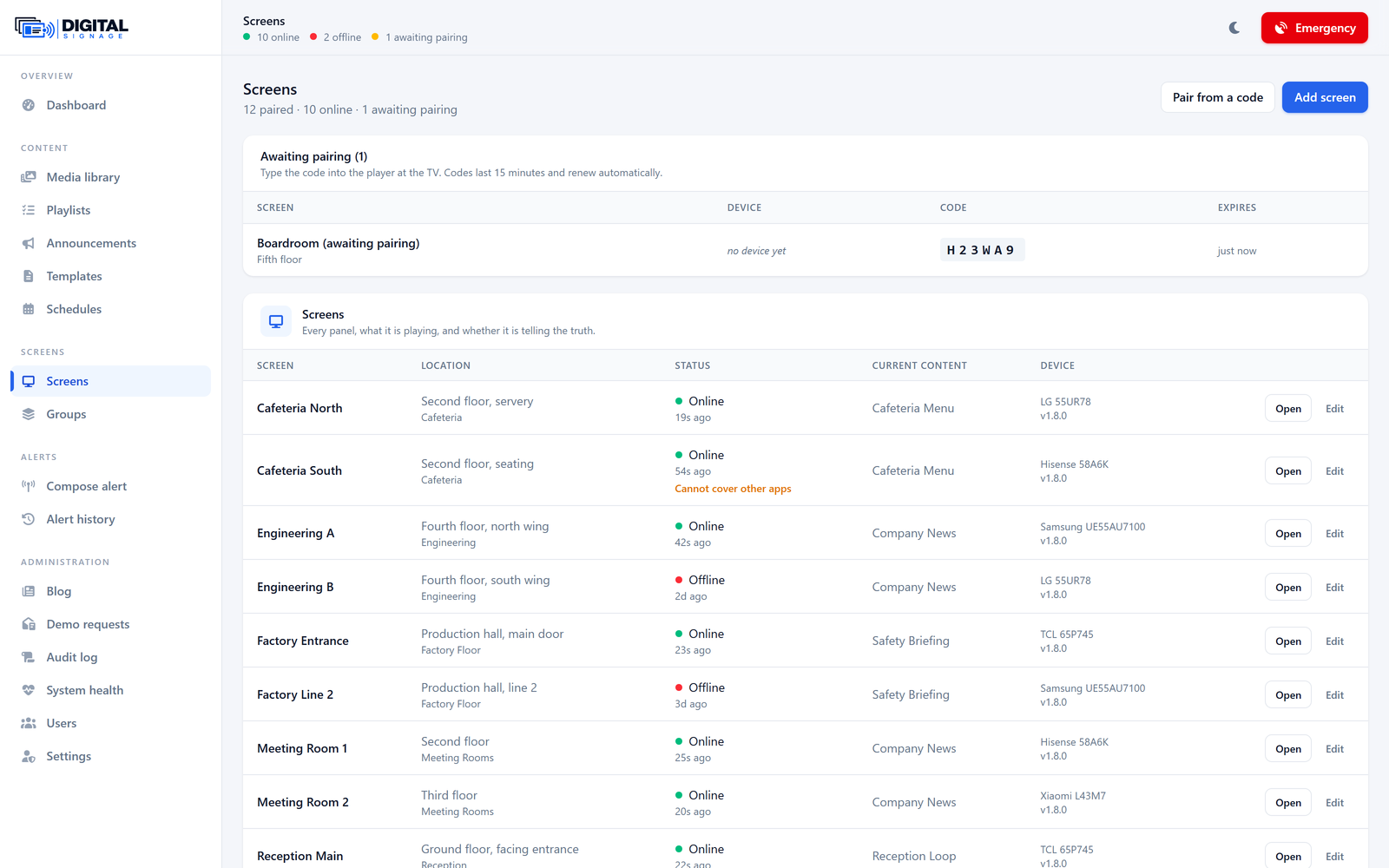
Know which screens are lying to you
A wall that has quietly stopped working looks exactly like a wall that is working — right up until somebody walks past it.
- Online, offline and awaiting-pairing counts, live
- What each screen is playing right now — reported by the screen, not assumed
- Screens that cannot cover another app are flagged
- A day of uptime history per screen, so an intermittent set is provable
Emergency alerts
Take every screen in the building, in seconds
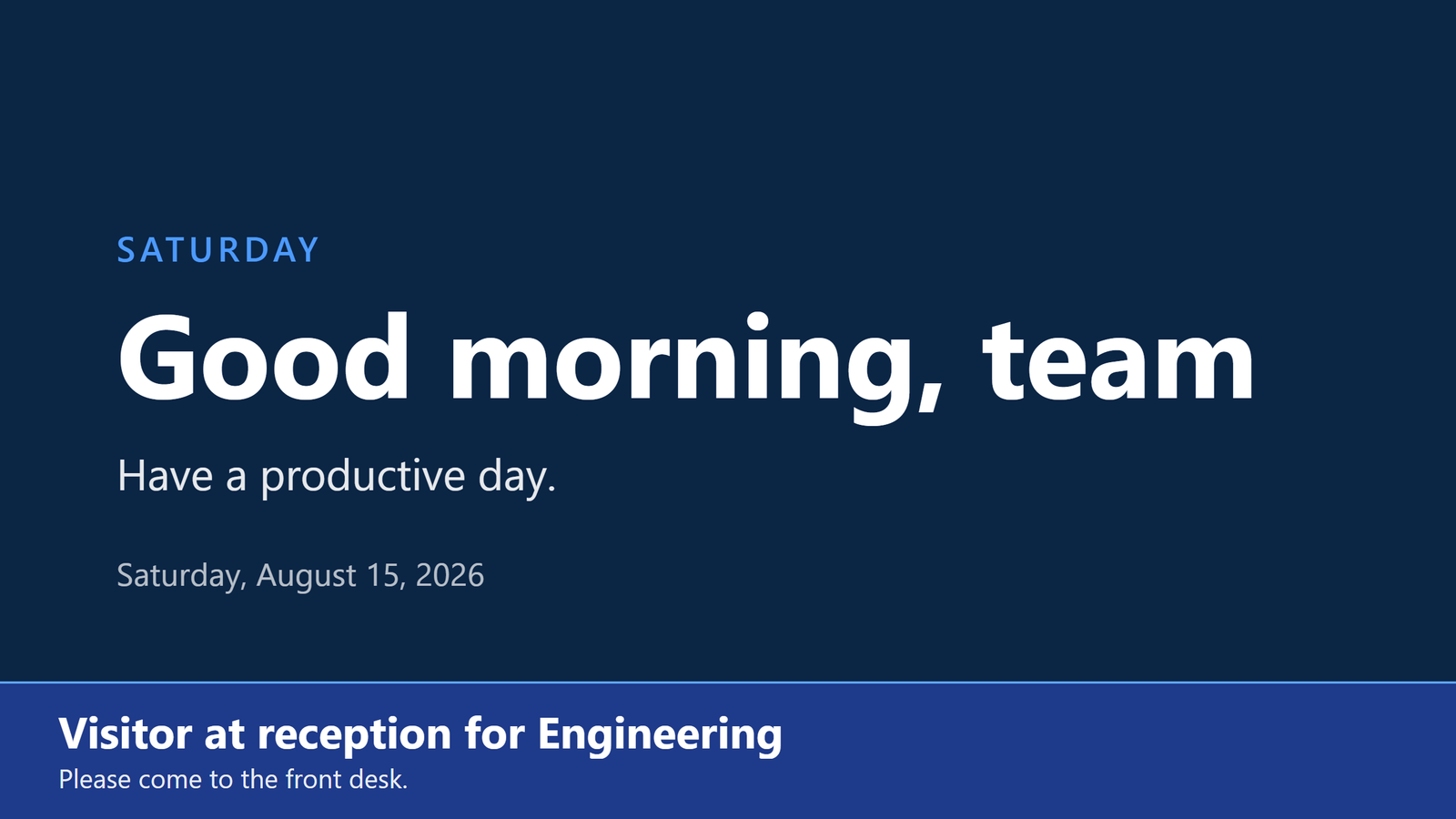
An alert is not a slide added to a playlist. It interrupts whatever is on screen, holds for exactly as long as you set, and hands the screen back.
- Full-screen, top or bottom banner, corner card, or scrolling ticker
- Four priorities with deterministic interruption rules
- Per-alert duration, or hold until recalled
- Targets one screen, a group, or the whole estate
Playlists & media
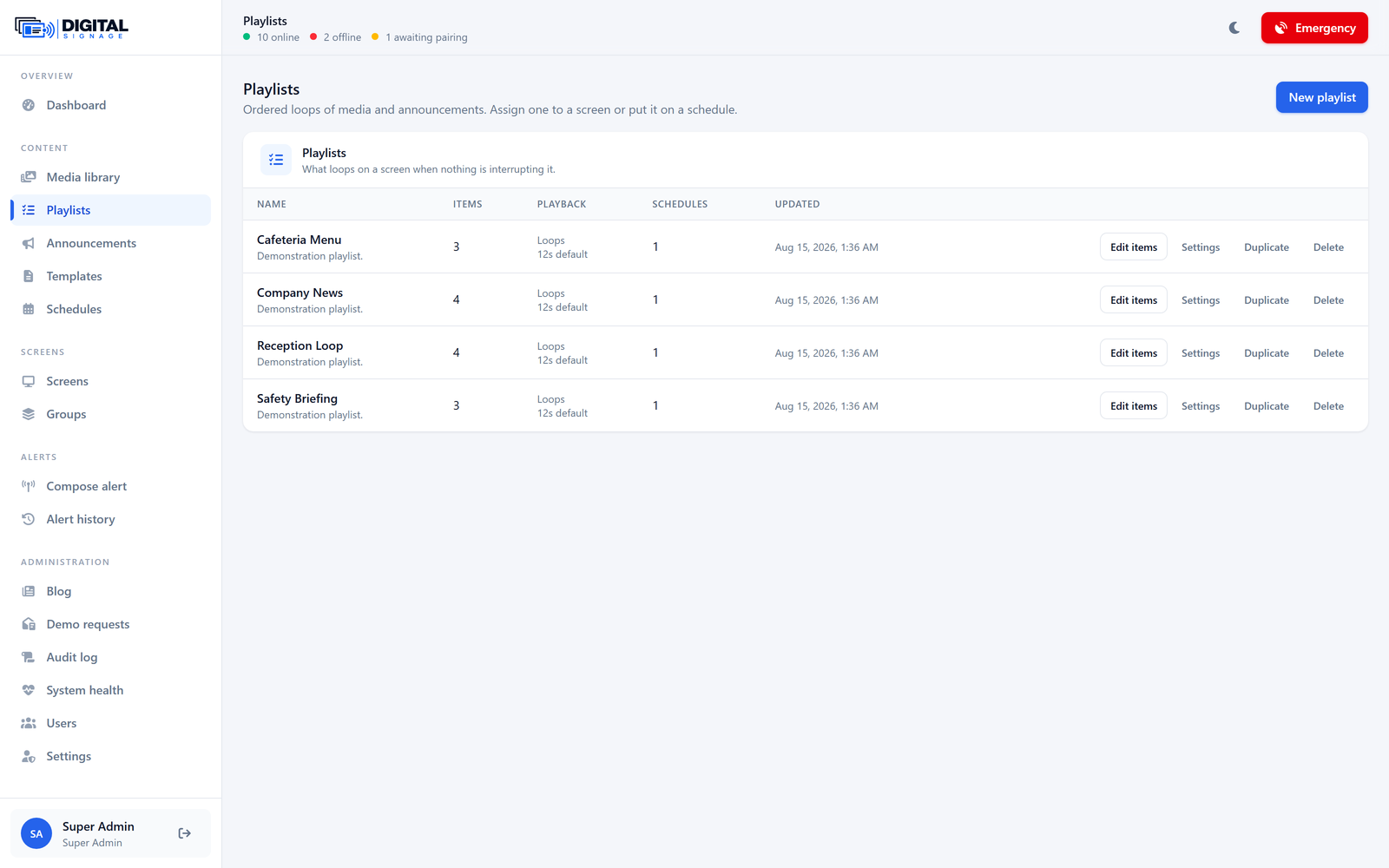
Build it once, run it everywhere
Images, video and designed announcement cards in a single loop, assigned to one screen or the whole estate.
- Drag to reorder, per-item duration, per-item transition
- Eight announcement layouts that need no design work
- Checksum-addressed media: downloaded once, ever
- Video with a poster frame and a detected duration
Scheduling
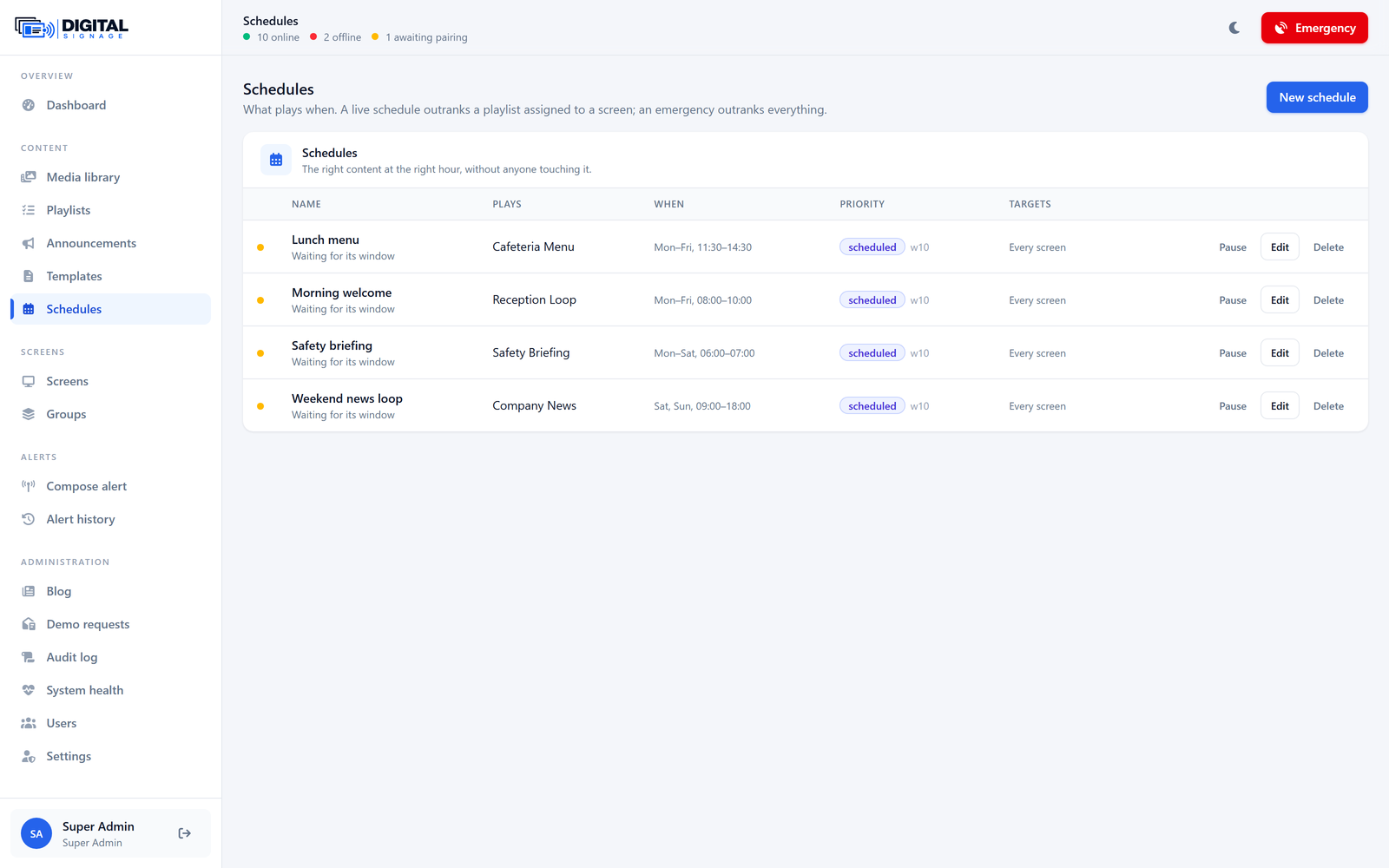
The right content, at the right hour, without anyone touching it
A canteen menu at eleven, a safety briefing at six, the company loop the rest of the time.
- Recurring by weekday and time, or a single dated window
- Deterministic overlap resolution: priority, then weight, then recency
- A schedule whose playlist was deleted falls through rather than blanking the screen
- Everything resolves in the organisation’s timezone, not the server’s
Offline playback
The lobby screen does not care that the internet went down at lunch
Every player keeps its plan and its files on local storage and plays from them. Indefinitely.
- Content plays from local storage with no time limit
- The stored plan is on screen before the first network request is even made
- Alerts queued while offline are delivered when the screen returns
- The server re-sends content when a screen reports a version it should not have
Remote control
Fix it without walking to the fourth floor
Refresh, restart, clear, re-sync, identify — from the panel, per screen or per group.
- Twelve commands, and a screen declares which it supports
- Identify: the screen says its own name, for finding it in a row
- Blank a screen, or bring it back, without unpairing it
- No OS-level operations — nothing can brick a set
Every screen
The whole panel, page by page
Twelve screens, photographed with a real fleet in them.
Dashboard
Fleet status, uptime, and what every screen is playing.
Screens
Pairing codes, live status, and per-screen controls.
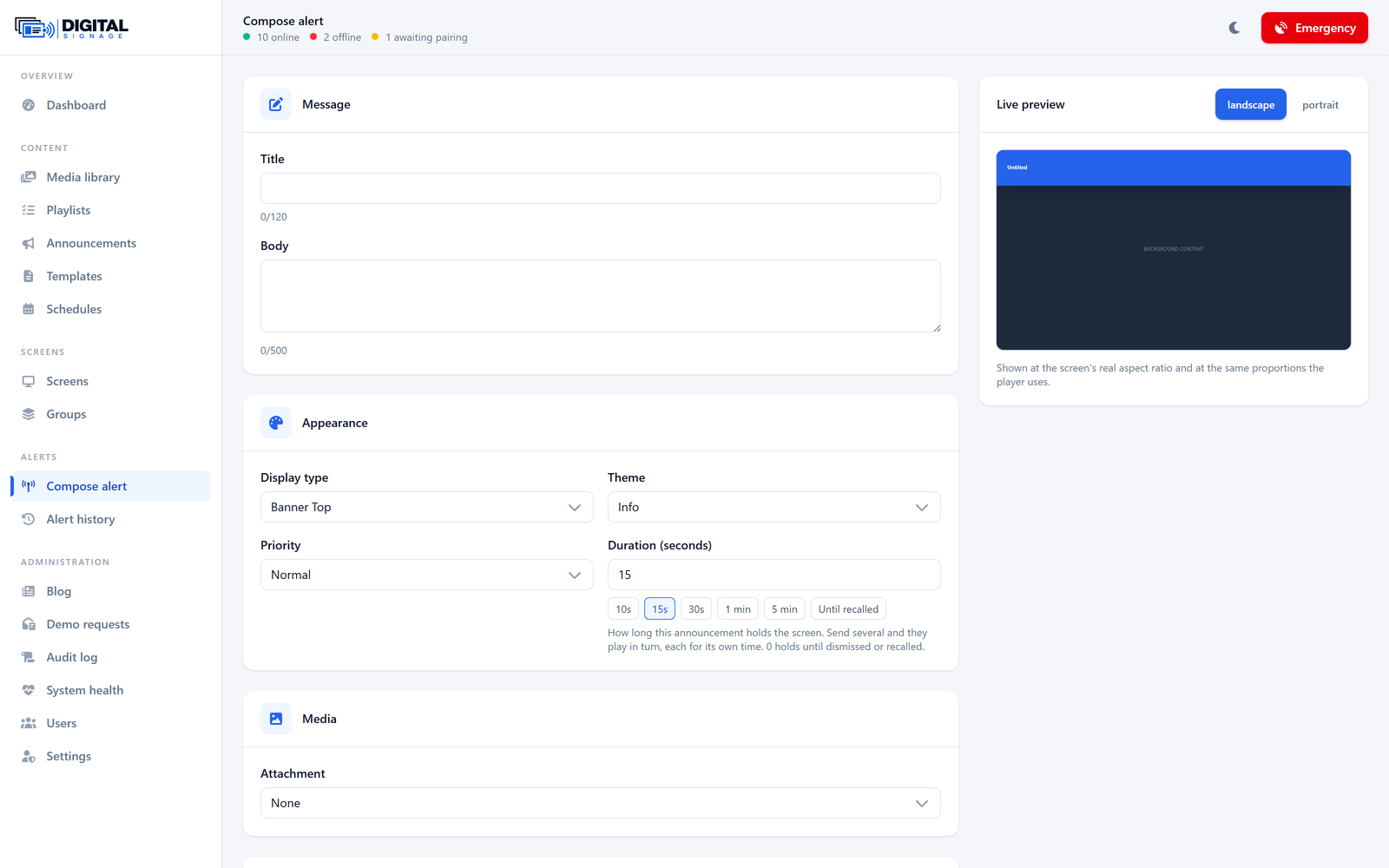
Compose an alert
Layout, priority, duration and targets, with a live preview.
Playlists
Loops of media and announcements, with per-item timing.
Schedules
What plays when, and on which screens.
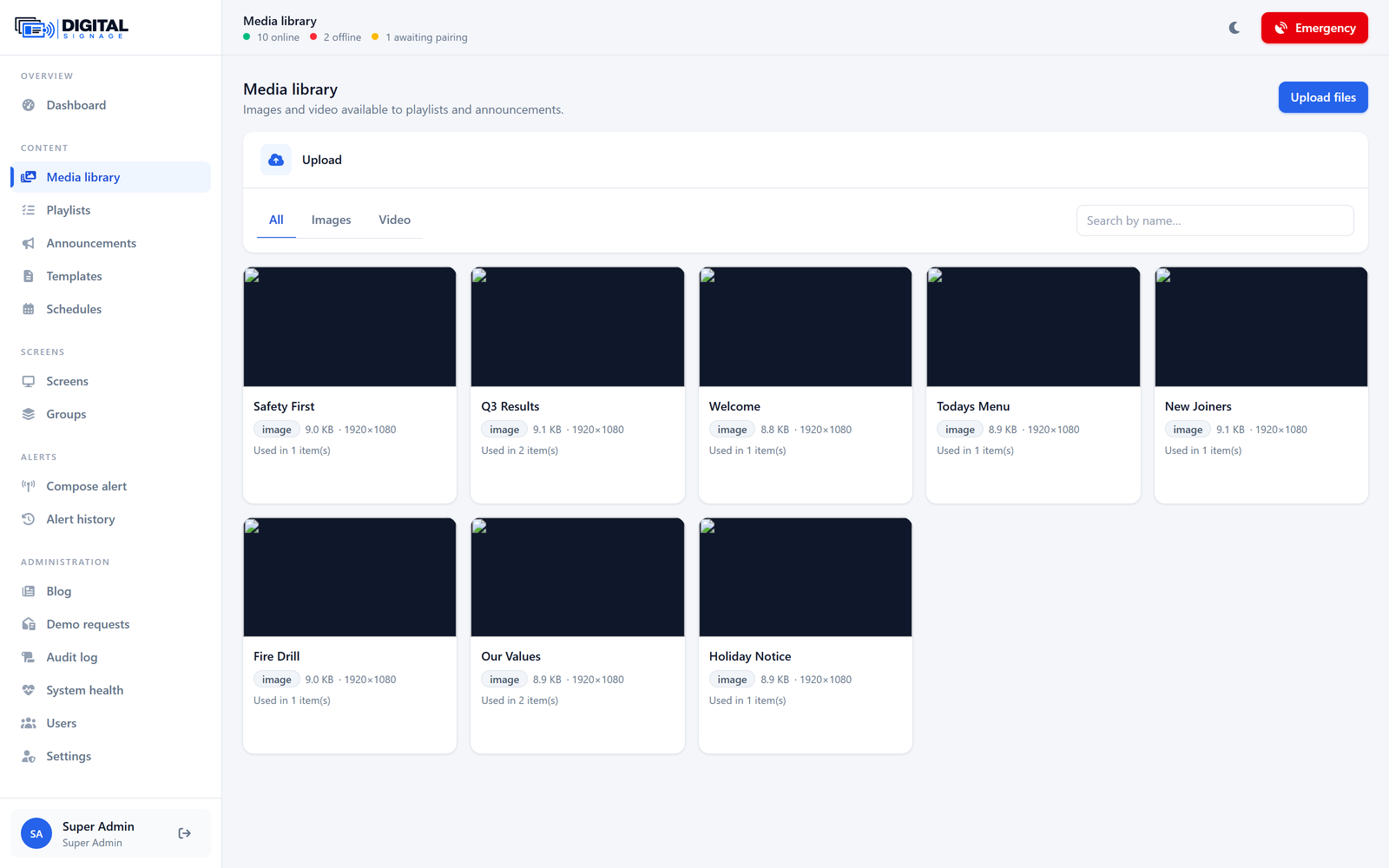
Media library
Images and video, checksummed and deduplicated.
See it running on your own screens
We will set up a live system with your own login, and walk you through anything you want to see.
No open demo, no sign-up wall — a person reads every request.