
Getting started
From nothing to a screen on the wall
Two minutes per screen, and no account, licence key or vendor cloud anywhere in the process.
- 1
Install a player
One APK on an Android television, or a URL in any browser. Nothing to configure on the device itself.
The Android player is a single 2.6 MB file. The web player is a URL. Neither needs an account, a licence key, or anything typed into the device beyond the address of your own server.
- 2
Pair it from the panel
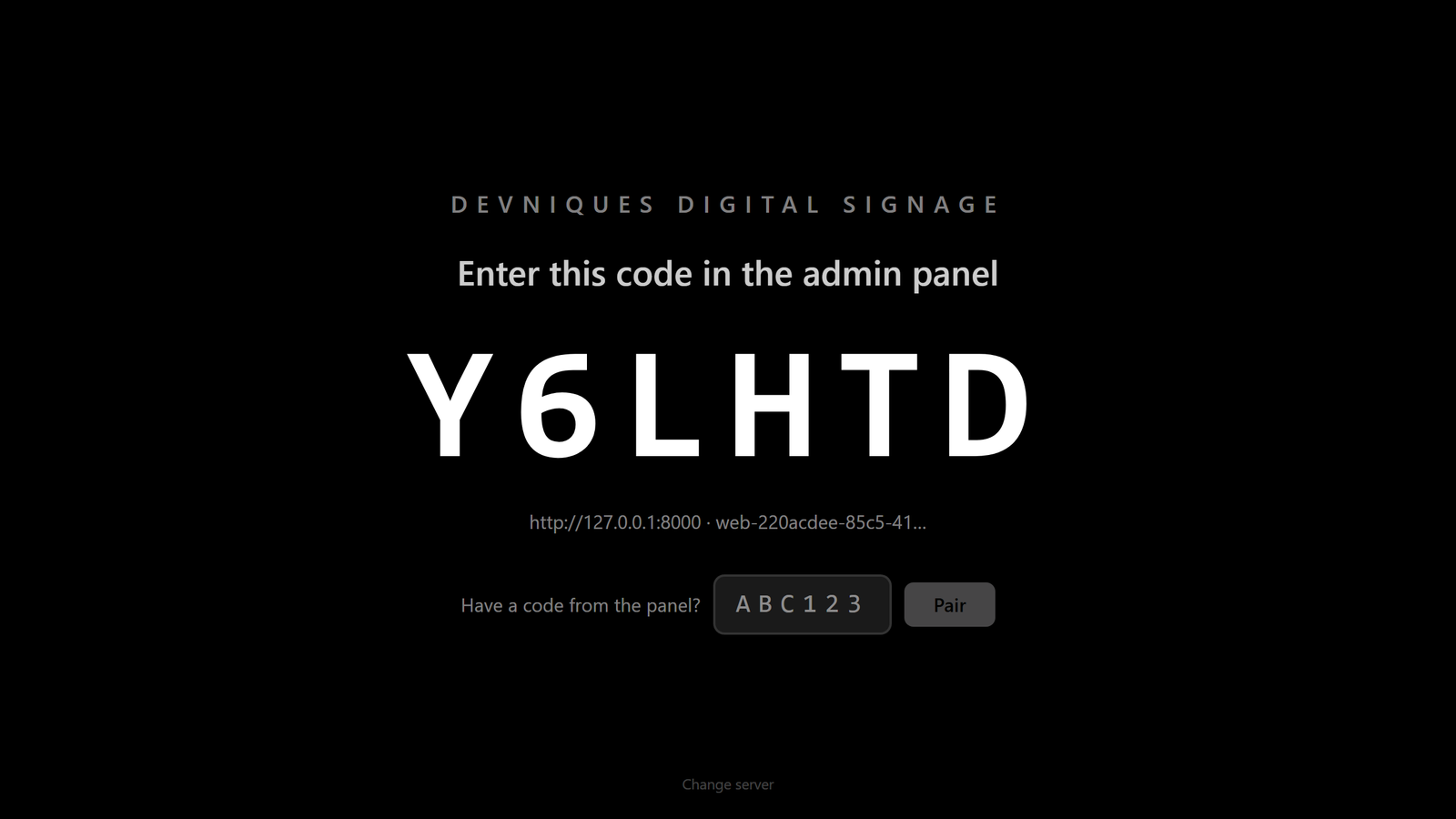
The screen shows a six-character code. Type it into the panel, name the screen, and it starts playing.
Pairing works in both directions: the screen can show a code for someone at a desk to claim, or the panel can print a code for an installer to type into the set. Both end at the same place.
- 3
Build a playlist
Upload images and video, or use one of eight announcement layouts. Set what each item shows for.
Announcements are designed cards rendered by the player itself — no external design tool, no exported image, and they stay sharp at any resolution because they are drawn rather than scaled.
- 4
Schedule it, then forget it
Assign to a screen, a group or everything. The right content appears at the right hour on its own.
Overlapping schedules resolve deterministically, so what appears is a decision rather than a coincidence.
- 5
Interrupt when it matters
Compose an alert, choose its priority, send. Every screen carries it within seconds.
And you get a delivery report per screen afterwards — delivered, displayed, dismissed or failed — so "it did not show on the third floor" is a question with an answer.
Pairing
Six characters, once
A screen shows a code. Somebody types it into the panel. That is the entire security model for adding a device, and it is deliberate: no screen receives content until a person approves it.
- Codes last fifteen minutes and renew themselves
- Works in both directions — screen-first or panel-first
- Reinstalling the app does not un-pair the screen
- A revoked screen stops receiving content immediately
Rolling out at scale
A hundred screens is a script, not a hundred visits
For a large estate, the whole per-screen setup can be done over the network.
One command per fleet
A provisioning script installs the player, grants the permission it needs, and starts it — across every address you give it.
It reads the result back
Some firmware accepts a permission grant and quietly ignores it. The script checks afterwards and reports which screens actually took it.
Safe to run again
Re-running does not un-pair a working screen or lose its content. A set that failed halfway is simply run again.
# Every address in the file, in one pass
APK=player.apk ./provision.sh --from screens.txt

192.168.1.41:5555   installed, overlay allowed, started
192.168.1.42:5555   installed, overlay allowed, started
192.168.1.43:5555   installed and started, but the overlay grant did not take
See it running on your own screens
We will set up a live system with your own login, and walk you through anything you want to see.
No open demo, no sign-up wall — a person reads every request.