
Fleet overview
Know which screens are lying to you
A wall that has quietly stopped working looks exactly like a wall that is working — right up until somebody walks past it.
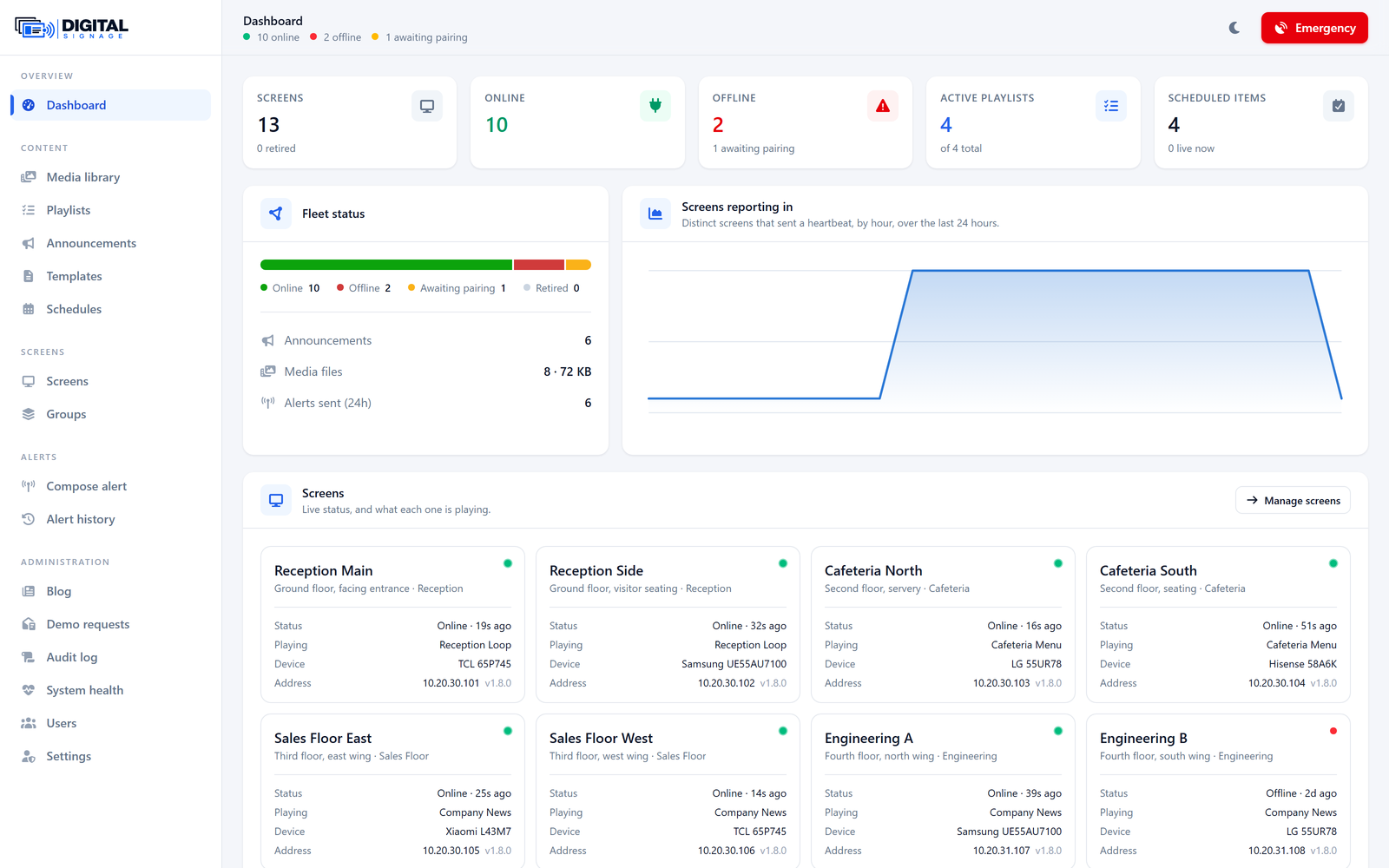
Every screen reports in every thirty seconds: what it is playing, how much storage is left, which network it is on, which version it is running, and whether it is even capable of interrupting what is on screen.
That last one matters more than it sounds. Android will not let an app draw over a different app without a specific permission, so a screen provisioned without it will play its own loop perfectly and never carry an emergency alert. On a fleet of a hundred, that screen is identical to the other ninety-nine in every other column. The panel flags it before you need it.
What you get
- Online, offline and awaiting-pairing counts, live
- What each screen is playing right now — reported by the screen, not assumed
- Screens that cannot cover another app are flagged
- A day of uptime history per screen, so an intermittent set is provable
- Storage, network type, model, and app version per device
See it yourself
A live system with your own login, and someone to walk you through this specific part of it.
Request a demoSee it running on your own screens
We will set up a live system with your own login, and walk you through anything you want to see.
No open demo, no sign-up wall — a person reads every request.